
.png)

Description
Download ClearCheckbook Money Management – Free Budgeting & Expense Tracker
Overview
ClearCheckbook Money Management — бесплатное кроссплатформенное финансовое приложение, созданное для того, чтобы снять стресс с планирования бюджета, отслеживания расходов и управления счетами. С момента запуска инструмент заработал репутацию благодаря чистому, интуитивному интерфейсу, работающему на Windows, macOS, Android и iOS. Будь то отдельный пользователь, желающий лучше контролировать личные траты, или владелец малого бизнеса, нуждающийся в простом реестре в стиле чековой книги, ClearCheckbook предлагает единый обзор всей финансовой активности. Основная философия программы — прозрачность: пользователи могут вручную вводить транзакции, импортировать CSV‑файлы или синхронизировать банковские счета для обновлений в реальном времени. Каждая транзакция автоматически классифицируется, а пользователи могут делить расходы на совместные счета, что делает приложение идеальным для соседей по квартире, семей или проектных команд. Бюджетный движок позволяет задавать индивидуальные лимиты расходов по категориям, генерировать визуальные отчёты и получать своевременные напоминания о счетах — всё из единой панели. Хотя платформа превосходно справляется с ежедневным управлением денежными потоками, она не претендует на замену специализированных инструментов для отслеживания инвестиций, сохраняя набор функций лёгким и сфокусированным. Вкратце, ClearCheckbook Money Management предоставляет безопасное, бесплатное и удобное решение для любого, кто хочет чётко видеть, куда уходят его деньги.
Key Features
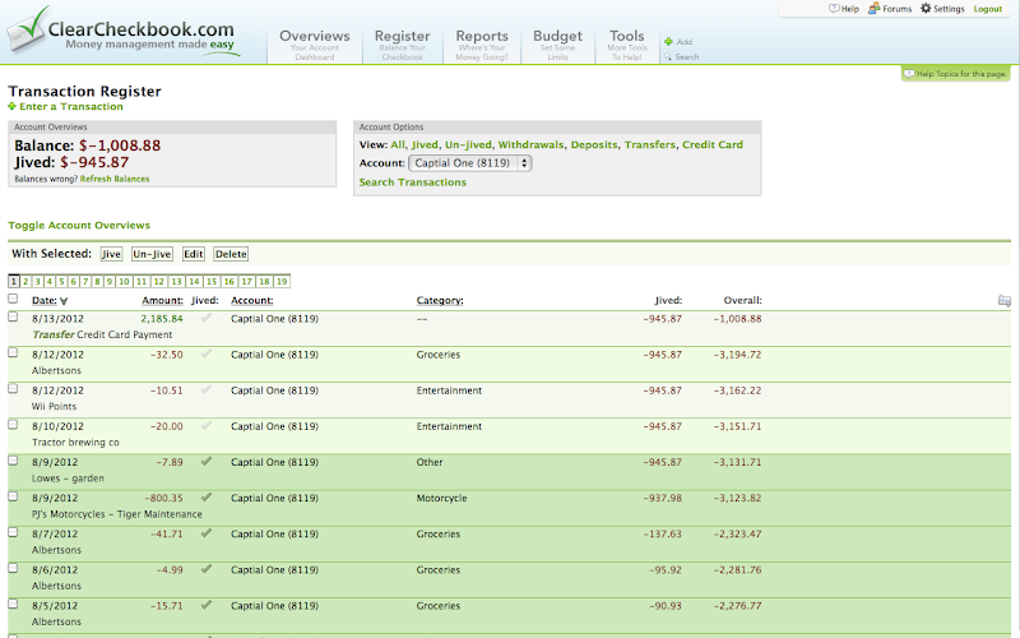
- Real‑time account syncing – Connect multiple bank accounts and credit cards for automatic transaction import.
- Manual entry & CSV import – Perfect for cash‑only users or those who prefer to keep a local backup.
- Automatic categorization – Smart algorithms assign expenses to predefined categories like groceries, utilities, and entertainment.
- Split transaction support – Divide a single expense among several people or cost centers.
- Custom budgeting – Set monthly limits for each category and receive alerts when you approach the threshold.
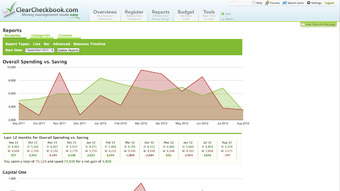
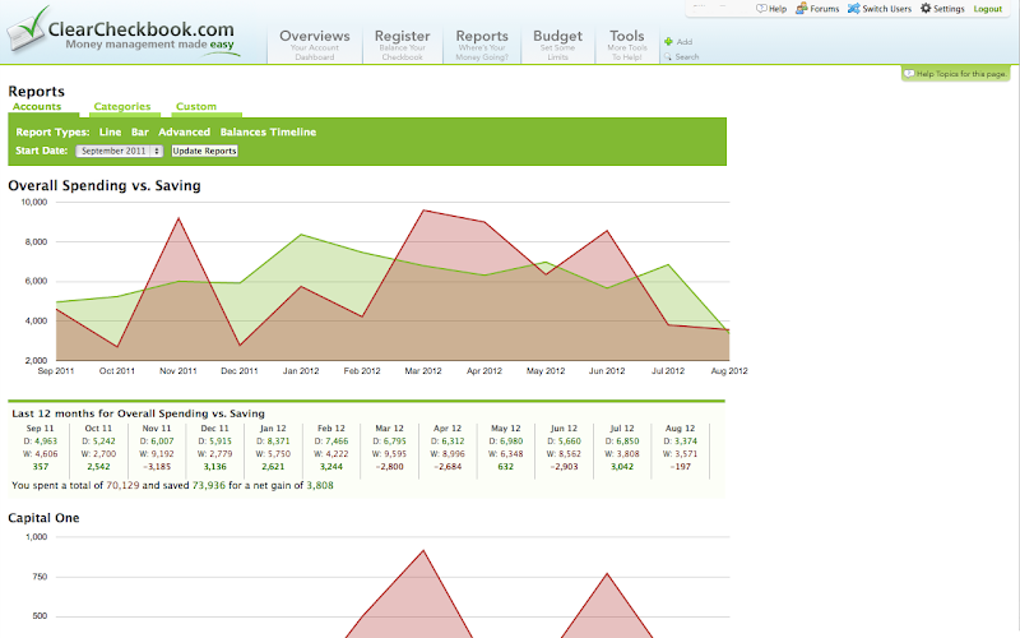
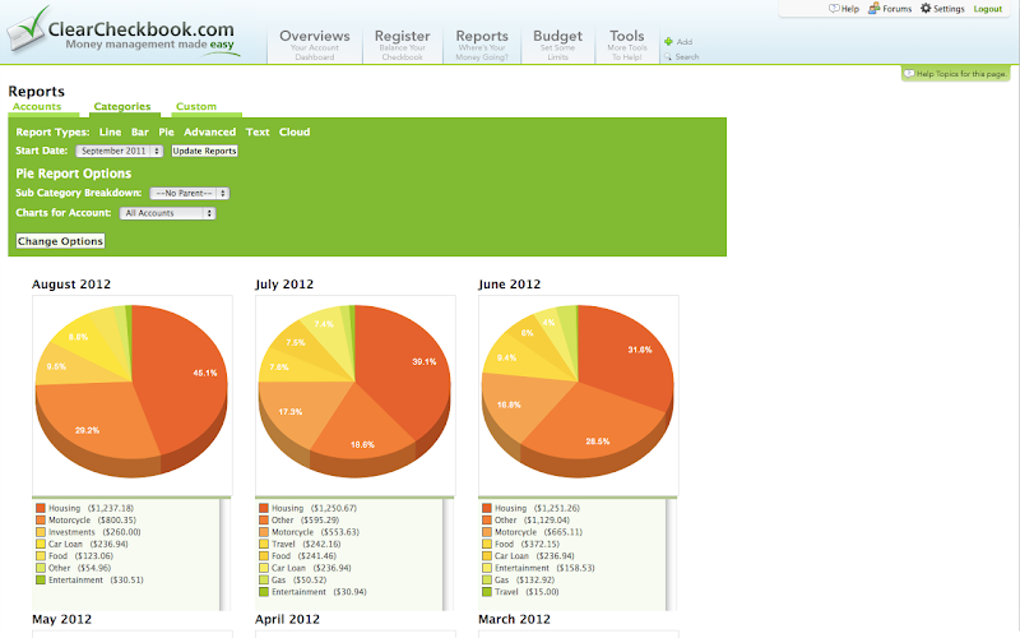
- Visual reports & graphs – Interactive charts display spending trends, cash flow, and budget adherence.
- Bill reminders – Schedule notifications for upcoming due dates to avoid late fees.
- Multi‑device access – Web, desktop, and mobile apps keep your data synchronized across Windows, macOS, Android, and iOS.
- Data export – Export your entire ledger to CSV or PDF for offline analysis or tax preparation.
- Secure cloud backup – End‑to‑end encryption protects your financial data while ensuring you never lose information.
Installation & Compatibility
Step‑by‑step installation
Downloading ClearCheckbook Money Management is straightforward. Visit the official website and click the “Download” button that matches your operating system. For Windows users, an .exe installer is provided; macOS users receive a .dmg package; Android users can find the app on the Google Play Store, while iOS users download it from the App Store. After the file finishes downloading, run the installer and follow the on‑screen prompts—accept the license agreement, choose an installation folder (the default works for most users), and click “Install.” Once installation completes, launch the application and create a free account using your email address. The registration process includes a quick verification step to secure your profile. After logging in, you’ll be greeted by a short onboarding wizard that helps you connect your first bank account or start a manual ledger.
Operating system support
ClearCheckbook Money Management is fully compatible with the latest versions of Windows 10/11, macOS 11 (Big Sur) and newer, Android 8.0+, and iOS 13+. The web version runs smoothly on modern browsers such as Chrome, Edge, Firefox, and Safari, ensuring that users on less common platforms can still access their data via a secure HTTPS connection. System requirements are modest: a minimum of 2 GB RAM, 200 MB of free disk space, and an active internet connection for cloud sync. Because the app uses industry‑standard TLS encryption, you can trust that your credentials and financial information remain protected regardless of the device you use.
Pros, Cons & Frequently Asked Questions
Pros
- Completely free with no hidden subscription fees.
- Intuitive, clean interface that works on desktop and mobile.
- Robust budgeting tools with real‑time alerts.
- Secure cloud backup and end‑to‑end encryption.
- Easy transaction splitting for shared expenses.
Cons
- Limited investment‑tracking capabilities; not a full‑blown wealth manager.
- Advanced reporting (e.g., tax‑specific categories) requires manual setup.
- No built‑in payroll or invoicing module for larger businesses.
- Occasional sync delays with some banks due to API restrictions.
FAQ
Is ClearCheckbook Money Management really free?
Yes. The core app, including budgeting, expense tracking, and bill reminders, is completely free. There are no hidden fees or mandatory upgrades.
Can I sync multiple bank accounts?
Absolutely. The app supports unlimited bank connections. Simply add each account in the “Accounts” tab and authorize the secure read‑only access.
How does the app protect my data?
All data is encrypted both in transit (TLS 1.2+) and at rest using AES‑256. Passwords are salted and hashed, and the cloud backup is stored on secure, GDPR‑compliant servers.
Can I export my financial history?
Yes. ClearCheckbook lets you export transactions, budgets, and reports in CSV or PDF format, making tax filing or external analysis simple.
Is there a mobile app for offline use?
The Android and iOS versions work offline for manual entry. Once you regain an internet connection, the app automatically syncs your changes to the cloud.
Conclusion – Should You Download ClearCheckbook Money Management?
For anyone who wants a no‑cost, secure, and user‑friendly way to gain control over daily finances, ClearCheckbook Money Management is a standout choice. Its blend of real‑time account syncing, flexible budgeting, and clear visual reporting provides enough depth for serious budgeting without overwhelming casual users. While the lack of advanced investment tracking may steer power investors toward specialized tools, the app’s core strengths—free access, cross‑platform availability, and robust privacy—make it an excellent companion for personal budgeting and small‑business cash flow. Ready to simplify your money management? Download ClearCheckbook Money Management today and start building financial clarity in minutes.
Rating: 4.5/5 – The app delivers on its promise of free, secure budgeting with a polished UI, though power investors may miss portfolio features.
Guides & Tutorials for ClearCheckbook Money Management
How to install ClearCheckbook Money Management
- Click the Preview / Download button above.
- Once redirected, accept the terms and click Install.
- Wait for the ClearCheckbook Money Management download to finish on your device.
How to use ClearCheckbook Money Management
This software is primarily used for its core features described above. Open the app after installation to explore its capabilities.
User Reviews for ClearCheckbook Money Management 0
No reviews found




